
SECURITY
Account Security Tips
This page explains phone verification, private password use and verification-code handling.
idxstar puts Live Blackjack Diamond, Live Sic Bo Diamond, slots and sportsbook markets behind one account, with DANA and QRIS beside the cashier path.
Browse casino and slots from the category row, then narrow the cards by title or game type.
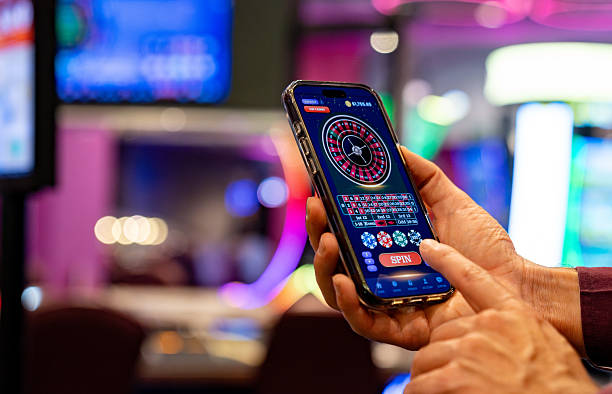
Casino rooms sit first, followed by live tables, fishing games and sportsbook access, with wallet status kept close to every category.
Pragmatic Play, PG Soft and Habanero sit alongside other recognised studios, giving you familiar slot and table formats from the home lobby.
The cashier starts by showing the route you selected and its current status. DANA, OVO, GoPay and QRIS requests update after the wallet confirms them, while virtual account…
Not every account question belongs inside a game window. Our home navigation points to durable pages for security, cashier status, live-table access, sports categories and policy terms.



A clear first visit begins with your phone number, verification prompt and account details.
Start with a mobile number and the requested account details. We send a phone verification prompt before access, reducing confusion between an unfinished account and an incorrect login attempt.
Check that your displayed name and phone number match the details you expect to use for wallet and withdrawal checks. Corrections should go through support before you fund the account.
Your category row includes casino rooms, slots, live dealer tables, fishing titles and sportsbook markets for football, badminton and basketball. Availability depends on local law.
Use a private password, complete phone verification and never share a verification code. Account Security Tips remains available from our home navigation when you need to check these steps again.
When an account or wallet status stalls, begin with the help drawer on our home page. It shows the current live chat hours before you start a conversation and keeps email available for cases needing a receipt attachment. On mobile, the same drawer stays close to the cashier, so you can copy the transaction reference without leaving your session.
Open the help drawer to see current chat availability and begin a conversation. Share the affected account area and status wording, but never send your password or phone verification code.
Use email when a DANA, OVO, GoPay, QRIS or bank receipt needs attaching. Include the transaction reference, displayed status and account phone number, while keeping passwords and verification codes private.
The mobile help drawer opens beside the cashier and lobby path. This lets you check the displayed wallet state, copy a reference and return to the same screen after contacting us.
A phone session keeps account access, the lobby and wallet status in one browser path. The category row uses touch-friendly cards, while search helps you reach a slot by name.

Account protection begins before the lobby opens. We use phone verification to confirm the access attempt, keep transaction status inside the cashier and provide Account Security Tips from…
A single brand home gives you a consistent route to account checks, game categories, wallet status and support.
Our home starts with one phone-based account path and a clear verification prompt. Scattered pages may send you between unrelated forms without showing whether the account has been confirmed.
Casino, slots, live tables, fishing and sportsbook access share one category row. You can change areas without searching for another address or rebuilding the path from an external page.
The cashier keeps DANA, OVO, GoPay, QRIS and bank-route states under the same account. A receipt reference remains easier to match when the selected route and status appear together.
Title search helps you locate Aviator Quick Arena or Fishing War Quick Arena directly. Separate discovery pages may mix game names with unrelated links and leave the actual lobby unclear.
The help drawer sits near the account and cashier paths, with live chat availability and email contact. You can describe the displayed issue without moving through several disconnected screens.
Our footer links account and transaction terms from the same home navigation. This gives you a stable place to check eligibility wording before opening a game or selecting a wallet route.
Game characteristics vary by title, so we do not apply one return figure to the whole home lobby.

Check each title card for its supplied return detail, stake range and feature rules.
Table rules and available stake choices appear before Live Blackjack Diamond or Live Sic Bo Diamond…
Aviator Quick Arena and Football Goal Rush show their own round mechanics and stake controls.
Fishing War Quick Arena provides title-specific controls and scoring details within its game screen.
Football, badminton and basketball markets display prices and settlement terms within the selected event screen.
RTP percentages are informational reference values from provider documentation. Actual session outcomes vary.
Our home page is configured for Indonesia accounts using DANA, OVO, GoPay and QRIS, including phone access from Denpasar. The same browser path carries you from verification to the lobby and cashier without requiring a separate application. Casino, sportsbook and wallet availability depends on local law, your location and the account details you provide. If a category or route is unavailable, check the displayed message or contact support through the home help drawer.
The main value of our home page comes from what you can check without guessing: the account state, category path, wallet route, game detail, support channel…
Phone verification appears before account access, making the next step explicit. The same account then carries your casino categories and available local wallet routes without requiring a second profile.
Slots and casino rooms lead the category row, followed by live tables, fishing and sportsbook access. Each category opens its own cards while preserving the same home navigation.
DANA, OVO, GoPay and QRIS appear by their local names. The cashier shows the chosen route and transaction state, helping you match an account entry with your wallet receipt.
Live Blackjack Diamond, Aviator Quick Arena and Fishing War Quick Arena use distinct cards and category placement. Their names remain consistent from home search to the game screen.
Live chat and email access sit close to the cashier path. The help drawer displays current chat availability and gives receipt-related cases a direct route to our support team.
Account and transaction terms remain in the home footer. You can check access conditions, wallet wording and other policy details before entering a game or submitting a transaction.
These answers cover the practical questions we receive about the idxstar Home page: what is inside, how account access works, which local wallets appear, where game categories begin and how to contact us. Check the displayed account or transaction status first, as it helps identify the right next step.
Begin with the category row when you want a game, or open the cashier when your question concerns a wallet.
Open the casino or slots category, then use title search if you already know the game. Live dealer tables and quick arenas remain in separate rows to prevent category confusion.
Head to the cashier, select the relevant local route and read the displayed status. Keep the receipt reference available if DANA, OVO, GoPay or QRIS confirmation stalls.
Check the phone number and complete the verification prompt before trying again. If your details changed or the prompt looks unfamiliar, use the home help drawer before funding.
Use the footer policy links before opening a game or transaction route. Availability depends on local law, location and the account details supplied during the verification process.